Page 1 of 1
Epox 8rga+ motherboard failure
Posted: Thu Jul 22, 2010 6:55 pm
by curious_guy (imported)
My desktop computer has failed. It does not boot up at all. I can not even get to the BIOS screen. The motherboard is an Epox 8rga+. It is about 7.3 years old. It has a two digit LED display on it. When the motherboard worked correctly, the display would quickly increment until it reached FF. Now it gets to C1 and stops.
I cannot find the paper manual for the board. I think I have a digital copy on one of the hard drives in the system which I cannot access now. I went on the Epox web site and it requires a user name and password to download the manual.
Does anyone know what the C1 on the LED display means? Does anyone know where I can download a manual for this motherboard?

Re: Epox 8rga+ motherboard failure
Posted: Thu Jul 22, 2010 8:50 pm
by fhunter
curious_guy (imported) wrote: Thu Jul 22, 2010 6:55 pm
My desktop computer has failed. It does not boot up at all. I can not even get to the BIOS screen. The motherboard is an Epox 8rga+. It is about 7.3 years old. It has a two digit LED display on it. When the motherboard worked correctly, the display would quickly increment until it reached FF. Now it gets to C1 and stops.
I cannot find the paper manual for the board. I think I have a digital copy on one of the hard drives in the system which I cannot access now. I went on the Epox web site and it requires a user name and password to download the manual.
Does anyone know what the C1 on the LED display means? Does anyone know where I can download a manual for this motherboard?
C1 looks like a memory detection stage, by what I have found. Try to remove memory modules and put them back in. On a machine that old, dust on the contacts is a common occurrence, and electronics is a science about bad contacts

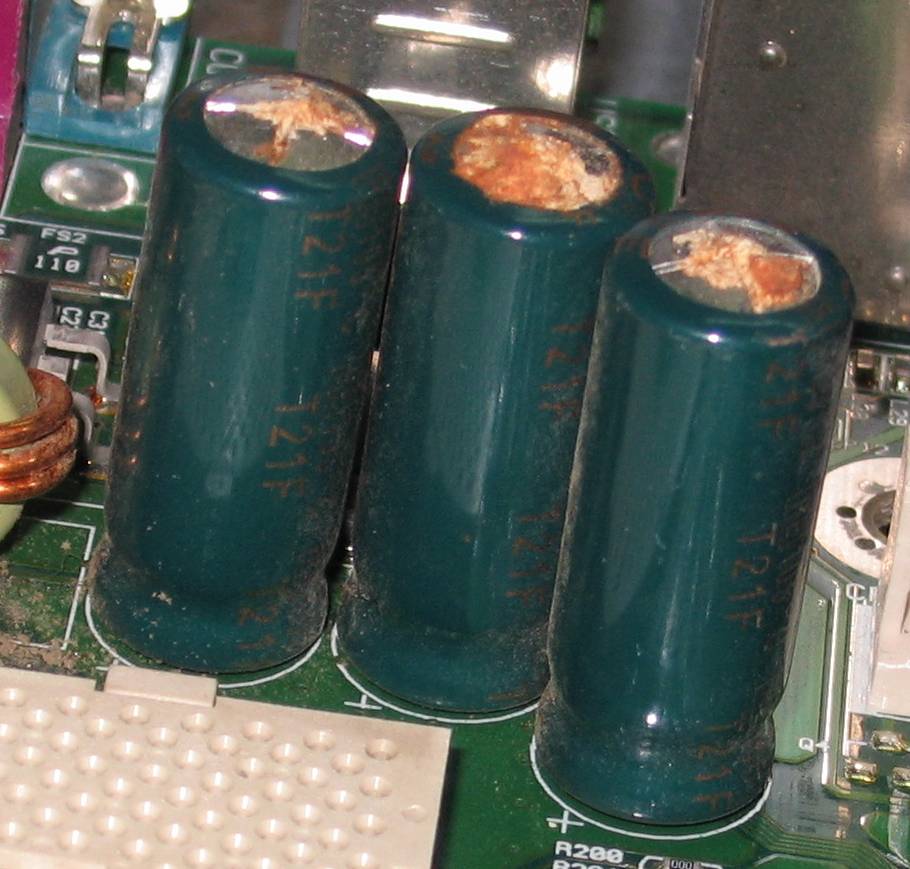
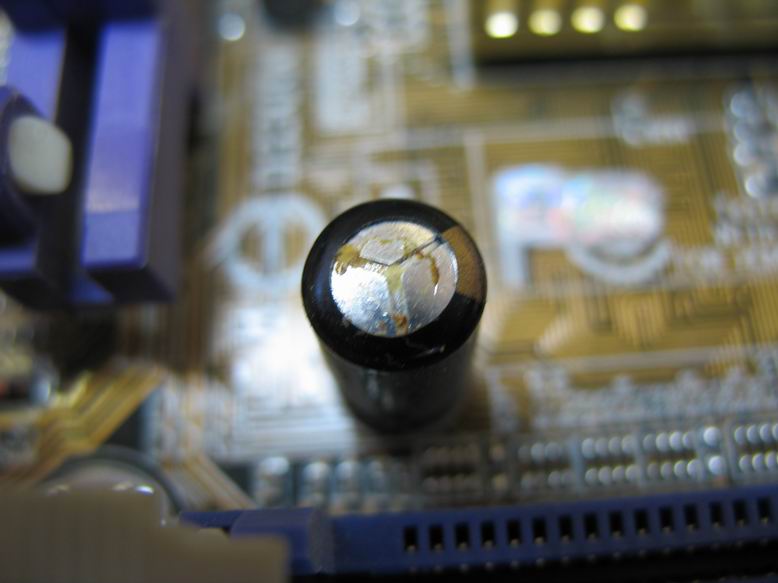
One more thing. Look closely on the motherboard, if any capacitors look like this:
http://www.rom.by/images/wiki/f/f9/ECAP_PUHL2.jpg or this:
http://www.rom.by/images/wiki/1/19/Bad1.JPG, then it is time to go for parts and soldering iron.
PS. No, I haven't found the manual. I found the information on some forums and confirmed this in the manual for my "port-80" tool.
Re: Epox 8rga+ motherboard failure
Posted: Fri Jul 23, 2010 3:27 am
by Riverwind (imported)
At 7+ years old, it might be time to let it go and get a new one but fhunter is right, blow out the dust, remove and clean the contacts for the memory and look at the capacitors, this last one was something we did to fix my sons TV, three bad ones and working again.
River
Re: Epox 8rga+ motherboard failure
Posted: Fri Jul 23, 2010 8:37 am
by curious_guy (imported)
fhunter wrote: Thu Jul 22, 2010 8:50 pm
C1 looks like a memory detection stage, by what I have found. Try to remove memory modules and put them back in. On a machine that old, dust on the contacts is a common occurrence, and electronics is a science about bad contacts
One more thing. Look closely on the motherboard, if any capacitors look like this:
http://www.rom.by/images/wiki/f/f9/ECAP_PUHL2.jpg or this:
http://www.rom.by/images/wiki/1/19/Bad1.JPG, then it is time to go for parts and soldering iron.
PS. No, I haven't found the manual. I found the information on some forums and confirmed this in the manual for my "port-80" tool.
I took out one of the two memory modules and tried the other in all three slots, before I wrote the message. My brother thinks it might be my power supply which is as old as the motherboard. Is that likely?
Re: Epox 8rga+ motherboard failure
Posted: Fri Jul 23, 2010 8:58 am
by fhunter
curious_guy (imported) wrote: Fri Jul 23, 2010 8:37 am
I took out one of the two memory modules and tried the other in all three slots, before I wrote the message. My brother thinks it might be my power supply which is as old as the motherboard. Is that likely?
Power supply can be a cause of strange problems, especially old power supply. I just don't know, how to test the power supply without any tools.
Re: Epox 8rga+ motherboard failure
Posted: Fri Jul 23, 2010 8:59 am
by Dave (imported)
curious_guy (imported) wrote: Fri Jul 23, 2010 8:37 am
I took out one of the two memory modules and tried the other in all three slots, before I wrote the message. My brother thinks it might be my power supply which is as old as the motherboard. Is that likely?
Put a meter on it and check the power output.